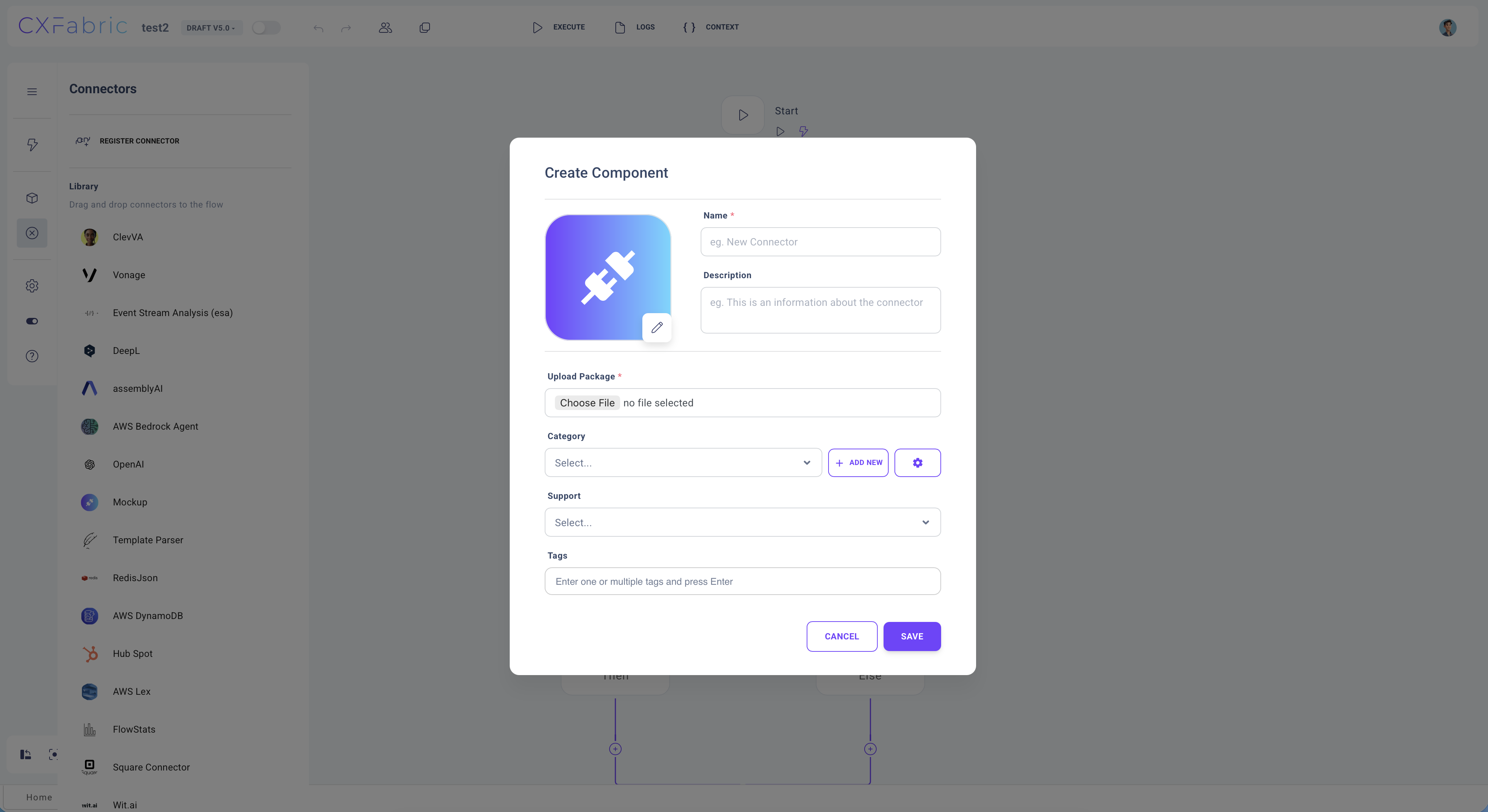
# Create a Connector
A custom connector allows you to integrate external services, APIs, or data sources into your workflows. By creating a custom connector, you can extend the platform’s functionality to meet your specific business requirements.
### Creating a Connector
You can create a custom connector using two different methods:
**Option 1: Using the Connectors Page**
1. Navigate to the Connectors page from the portal.
2. Click the Create New button.
3. Provide the required connector details, such as name, and upload package.
4. Click Save Connector to register the new connector.
**Option 2: Using the Flow Designer**
1. Open the Flow Designer of any flow.
2. Navigate to the Connectors menu in the side panel.
3. Click Register Connector to begin the setup.
4. Provide the required connector details.
5. Click Save Connector to complete the registration.
***
{% hint style="info" %}
NOTE
Alternative you can create a new Connector from the main portal workspace under "Connectors".
{% endhint %}